Top 10 Tips for Effective PLC Programming in Industrial Automation?
In the rapidly evolving field of industrial automation, effective PLC programming is crucial. According to John Smith, a leading expert in PLC programming, “The key to successful automation lies in understanding the machine and its needs.” This highlights the necessity of a tailored approach in programming, rather than relying solely on standard methods.
Many professionals enter PLC programming with excitement but soon face challenges. Mistakes in coding can lead to costly downtime. Industry veterans often emphasize the importance of testing and debugging. Each error reveals a fundamental flaw that requires reflection and adjustment. Automation depends on precise control, and even minor issues can create significant problems in production.
Moreover, staying updated with technologies is vital. As John Smith puts it, “Adaptation is essential in the world of PLC programming.” However, many technicians underestimate the value of continuous learning. Real-life experiences frequently reveal that outdated skills can hinder progress. Recognizing these gaps can facilitate growth and enhance programming practices in the industrial landscape.

Understanding PLC Fundamentals for Effective Programming
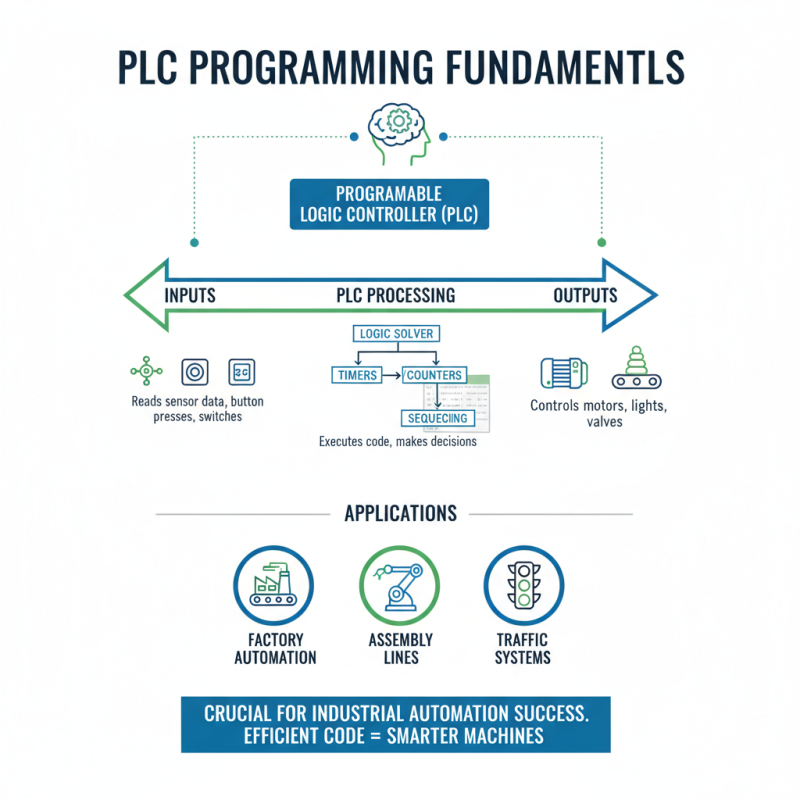
Understanding the fundamentals of PLC programming is crucial for success in industrial automation. A Programmable Logic Controller (PLC) is the brain of many automated systems. It controls machinery in factories, tracks assembly lines, and even manages traffic systems. Knowing how a PLC processes inputs and outputs enables programmers to write effective and efficient code.
One can start by learning about various programming languages used in PLC programming. Ladder Logic is common due to its visual representation of electrical circuits. However, it can confuse beginners. Some find the diagramming cumbersome, so practicing with simple logic tasks is advisable. Keep it straightforward.
Debugging is another crucial aspect that often causes frustration. It is easy to overlook small errors in code. Testing each segment helps identify issues. Maintain a log of changes made during programming; it aids in understanding what works and what doesn’t. Setting up a reliable testing environment can dramatically improve the debugging process. Reflecting on these fundamentals will help clear up confusion in complex projects.
Choosing the Right PLC Programming Language for Your Application
Choosing the right PLC programming language is crucial for the success of any industrial automation project. Consider the complexity of your application before making a decision. If the task is straightforward, a simple language might suffice. For more complex systems, a robust language becomes essential. Languages like ladder logic or structured text have their own strengths and weaknesses. Ladder logic is visually intuitive but may become cumbersome as applications grow.
Some developers overlook the importance of the team's expertise. If the team is skilled in one language, it might make sense to stick with it. However, this can lead to missed opportunities. Newer languages may offer features that could improve efficiency. Finding a balance between familiarity and innovation is important. Testing and feedback loops will help identify if a choice aligns with the project's goals. Sometimes, it’s necessary to reflect on the chosen language's performance during the initial stages before finalizing it for long-term use.
Top 10 Tips for Effective PLC Programming in Industrial Automation
| Tip Number |
Tip Title |
Description |
Recommended Language |
| 1 |
Understand Your Requirements |
Assess the complexity and requirements of your automation process to choose the right PLC and language. |
Structured Text (ST) |
| 2 |
Choose Intuitive Languages |
Select programming languages that support easy debugging and maintenance. |
Ladder Logic (LD) |
| 3 |
Prioritize Readability |
Ensure the code is easy to read and understand for future modifications by you or others. |
Function Block Diagram (FBD) |
| 4 |
Modular Programming |
Break down the automation tasks into smaller modules for ease of management and troubleshooting. |
Structured Text (ST) |
| 5 |
Test Thoroughly |
Conduct extensive testing to ensure all components operate as intended under various conditions. |
Ladder Logic (LD) |
| 6 |
Use Comments Wisely |
Add comments to your code to clarify the purpose of complex sections, aiding future understanding. |
Any Language |
| 7 |
Documentation is Key |
Maintain thorough documentation of all procedures, programming decisions, and modifications. |
Any Language |
| 8 |
Utilize Libraries |
Make use of existing libraries and functions to save time and avoid reinventing the wheel. |
Function Block Diagram (FBD) |
| 9 |
Stay Updated with Standards |
Follow the latest industry standards and regulations to ensure compliance and efficiency. |
IEC 61131-3 Languages |
| 10 |
Collaborate with Others |
Engage with colleagues and other experts in the field to share knowledge and best practices. |
Any Language |
Best Practices for Structuring PLC Programs for Clarity
Clear structuring of PLC programs is essential in industrial automation. Start with a consistent naming convention for all variables and functions. This helps team members understand your code at a glance.
Avoid confusing names; clarity should be your top priority. Break down large programs into smaller, manageable sections. This approach makes troubleshooting easier and enhances readability.
Commenting on your code is crucial. Briefly explain the purpose of complex blocks. Avoid overly technical jargon that could confuse future users.
Annotations should guide, not overwhelm. Take time to review your comments regularly. Make necessary adjustments as the program evolves. Reflect on whether the comments still serve their purpose.
Testing and validation are key stages too. Always simulate your code before deployment. This step can uncover unforeseen issues early on.
However, be mindful that testing can sometimes yield limited results if not done thoroughly. Pay attention to potential edge cases. A well-structured PLC program should adapt to various scenarios without significant rewrites.
Debugging and Troubleshooting Techniques in PLC Programming
Debugging in PLC programming is often challenging. Mistakes can occur at any step. Missing a simple wire connection can cause unexpected behavior. This leads to equipment not functioning as intended. Regularly checking all connections can help avoid these pitfalls. Keeping the wiring diagram handy is essential.
When troubleshooting, always start with the basics. Is the power on? Are the inputs correct? Test the I/O points individually. Use LED indicators on the PLC to check status. Sometimes, the problem is as simple as a blown fuse. It’s vital to develop a systematic approach. Processing your findings step by step can often reveal overlooked issues.
Maintaining accurate documentation aids in the debugging process. This includes comments in your code and system logs. However, it’s easy to neglect this part. Rely on memory alone, and you might miss crucial details later. Regularly revisiting your documentation keeps you grounded. Reflection on previous problems can also lead to improved programming skills.
Implementing Safety Standards in PLC Programming Practices
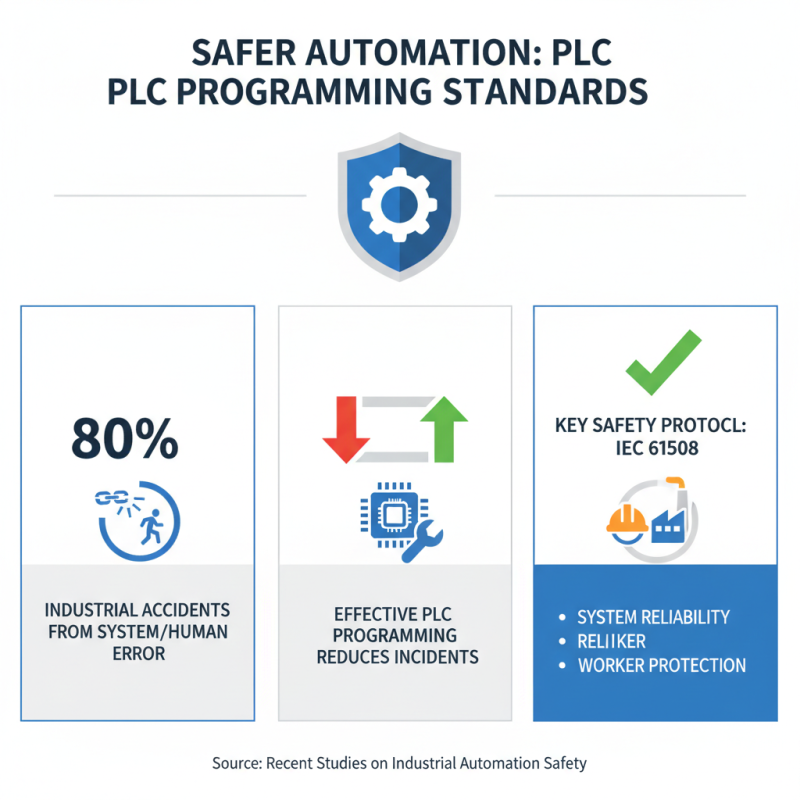
Implementing safety standards in PLC programming is crucial in industrial automation. In recent studies, approximately 80% of industrial accidents are linked to system failures or human error. Effective PLC programming can significantly reduce these incidents. Adopting safety protocols, such as IEC 61508, not only enhances system reliability but also protects workers.
Training staff about safety standards is vital. Even with advanced systems, human oversight can lead to errors. A report highlighted that 60% of PLC-related incidents stem from operator mistakes. Regular training sessions and clear documentation are essential. Encouraging a culture of safety ensures that everyone understands their role in maintaining machinery and processes.
Furthermore, integrating safety checks into the PLC code itself is essential. For instance, including fail-safes and emergency stop commands can prevent catastrophic failures. Yet, many programmers overlook these features during development. Industry experts suggest a proactive approach, reviewing and testing PLC applications rigorously. Continuous improvement loops can lead to better practices and safer environments.