
10 Smart Speaker Buying Tips for Global Buyers?

Buying a Smart Speaker for use across borders takes more than comparing sound quality and price. A model that works smoothly in one country may offer different voice languages, music services, or smart-home features elsewhere. Check the manufacturer’s regional product page and support details before ordering. Small differences matter.

Look closely at the power adapter, plug type, Wi-Fi requirements, and warranty coverage. A compact speaker beside a kitchen kettle may sound impressive in a showroom, but its microphone performance can change in a noisy room. If possible, test voice pickup from your usual listening distance and compare spoken responses at a comfortable volume. Listen for clear speech, not just strong bass.

Privacy deserves a practical check, too. Find the mute control, review how voice recordings are managed, and see whether the device can perform useful tasks without constant cloud access. Read the setup instructions for your intended country; service availability can vary by region and account settings. A low price is not always a bargain. Neither is a feature list.

Consider the phone app, household accounts, update support, and return policy before buying. Save the product specifications and ask the seller about regional compatibility in writing. That sounds simple. It is not always. I would avoid assuming that a familiar brand name guarantees an identical experience worldwide. These ten buying tips help global buyers compare real-world fit, not just packaging claims, while leaving room for one honest truth: no single speaker suits every home.
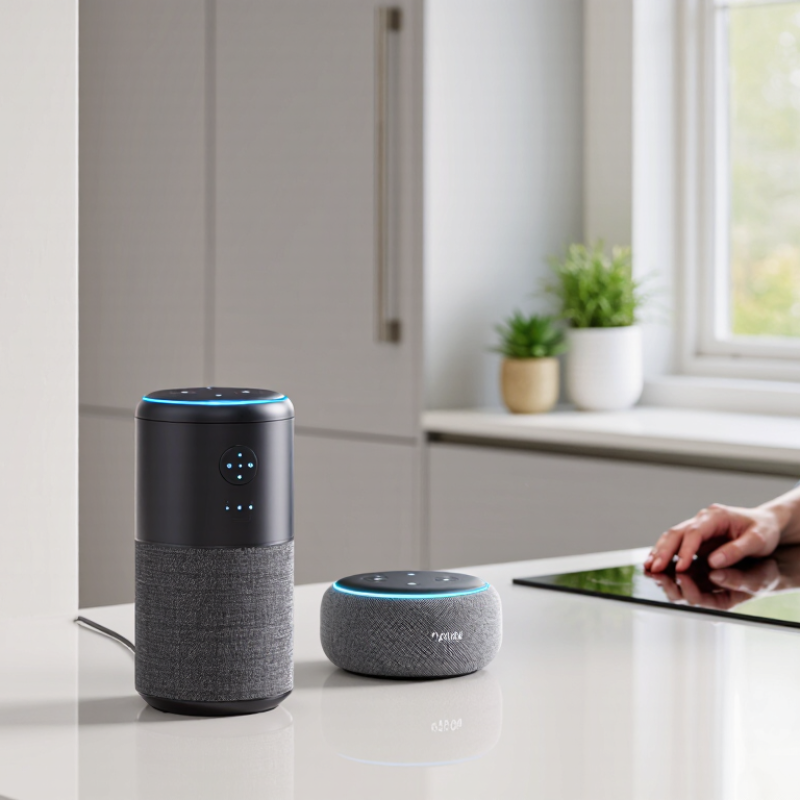
10 Smart Speaker Buying Tips for Global Buyers?

Define Your Household Needs and Smart Speaker Use Cases

Before comparing sound quality, map the speaker to a real room and routine. Is it for kitchen timers, bedroom alarms, hands-free calls, music, or controlling lights? A device used beside a running tap needs clear voice pickup and simple physical controls. In a bedroom, screen brightness, microphone muting, and alarm reliability may matter more than bass. Measure the shelf, check nearby outlets, and note whether Wi-Fi reaches that spot. Small details count.

Edison Research’s 2023 Infinite Dial found that 35% of U.S. adults owned a smart speaker. That figure describes one market, not every household worldwide. The 2023 Smart Audio Report also found that 62% of owners used smart speakers to listen to music, a useful reminder to test audio needs alongside voice features.

Think about who will use it: children, older relatives, guests, or only one person. Shared homes may benefit from clear mute indicators and separate voice profiles. A neat checklist can still miss the obvious: the speaker may sit too far from where people actually talk. Maybe that sounds minor. It isn’t. Decide which tasks must work reliably, then treat less-used features as optional rather than paying for a crowded feature list.

Check Voice Assistant, Language, and Smart Home Compatibility

Before buying a smart speaker, check which voice assistant it supports and whether its features work in your country. Available services can vary by region, even when the device looks identical. Read the setup guide and regional product details, not just the box. Ask whether voice control, music services, calling, and software updates are supported where you live. Small details matter. A speaker that understands your commands but cannot access your preferred services may feel surprisingly limited.

Language support deserves a closer look. Confirm that the assistant recognizes your preferred language and accent, and check whether it can handle mixed-language commands. If several people will use the speaker, test how it manages different voices and household profiles. Then review smart home compatibility. Check the connection standards and supported device categories against the lights, plugs, or sensors you already own. A compatibility list should name exact functions; “works with” may not mean every feature is available. One overlooked detail can mean another hub or extra setup. I would also verify how the speaker handles microphone controls and voice recordings before placing it in a shared room. These checks take a few minutes, though regional documentation can be vague. When it is, contact the seller or manufacturer for written confirmation before ordering.

10 Smart Speaker Buying Tips for Global Buyers

Check voice assistant availability, language support, and smart home compatibility before you buy.

How to read this chart: The bars count the practical checks in each category—not survey results or product ratings. Confirm that the assistant and languages you need are available in your country, then check your network, smart home protocols, hubs, and devices.

Compare Audio Quality, Microphone Range, and Privacy Controls

Audio quality is easiest to judge with familiar recordings, not a shop-floor demo. Play a spoken podcast, a quiet acoustic track, and a bass-heavy song at ordinary volume. Voices should stay clear without sharp sibilance, while bass should not rattle a shelf. A small speaker may sound lively nearby but thin across a kitchen. Room size matters.

Microphone range needs a real-room check. Place the speaker where you plan to use it, then ask a question from the sofa, doorway, and beside running water. Notice whether it hears normal speech without repeated commands. Background noise changes results, and a showroom cannot reproduce every home. I find this test useful, though my voice and room may skew it.

Privacy controls deserve equal attention. Look for a physical microphone-off switch, a clear indicator, and easy options for reviewing or deleting voice recordings. Test the mute switch; do not assume a dim light means the microphones are off. Check what data is stored and how long settings take to apply. Menus vary by region, and translated instructions can be awkward. That matters.

Verify Regional Availability, Connectivity, and Power Requirements

A smart speaker can look identical across markets, yet its useful features may differ by region. Check whether it is officially sold and supported where you live. Regional availability can affect setup, warranty service, voice recognition, and access to music or calling features. A device that works well abroad may offer fewer options at home.

Check your Wi-Fi requirements before ordering. Some speakers support only particular network bands, so compare the specifications with your router. Also confirm that setup is available in your preferred language and that the speaker can connect to the services you already use. Read the support page carefully. Product listings can leave out small but important limits.

Power deserves a close look. Read the label on the speaker or its included adapter for input voltage and frequency, then compare those figures with your household supply. A plug adapter changes shape, not voltage. If the supplied power unit is not rated for local power, do not assume a travel adapter will solve the problem. A warm adapter, an awkward cable, or an unsupported outlet can turn a simple setup into a frustrating one. Check return terms before purchase, too; regional electronics returns can be less convenient than expected.

Assess Total Cost, Warranty Coverage, and Long-Term Support

A smart speaker’s price tag is only the starting point. Add delivery charges, import fees, and any paid music or home-control subscriptions. Check whether the speaker supports services available in your country; a feature shown online may not work locally. Also confirm its plug and power requirements before ordering. Small costs add up.

Warranty details can matter more than a discount. Read the terms for coverage length, proof-of-purchase rules, and exclusions such as accidental damage. For an overseas purchase, ask who pays return shipping and whether repairs are available near you. Keep the receipt. Get key answers in writing, since a marketplace listing may not explain every limitation.

Long-term support affects how useful the speaker remains. Look for a clear policy on software and security updates, plus ongoing app compatibility. Check that your preferred language and voice features are supported in your region. Estimate the cost over three or four years, including subscriptions and likely service expenses. My estimates are imperfect; service plans can change, and that uncertainty deserves a place in your budget. A low upfront price may still be reasonable, but only when the support terms fit your expectations.

10 Smart Speaker Buying Tips for Global Buyers: Assess Total Cost, Warranty Coverage, and Long-Term Support
# Buying Consideration What to Check Why It Matters Practical Buyer Action
1 Total cost of ownership Compare the purchase price with shipping, import duties, local taxes, optional subscriptions, and likely replacement costs. The advertised price may not include the full cost of owning or using the speaker in your country. Build a 2–3 year cost estimate and confirm which fees are due at checkout or delivery.
2 Warranty coverage Check the warranty length, covered faults, exclusions, proof-of-purchase rules, and whether service is available in your country. Warranty terms and repair options can differ by sales region and purchase channel. Read the regional warranty terms before buying and save the receipt and order confirmation.
3 Long-term software support Look for published information about software updates, security patches, and continued app or cloud-service support. Smart features may depend on software and online services that can change over time. Check the maker’s current support pages and note whether an end-of-support policy is stated.
4 Power and regional compatibility Verify the rated input voltage, plug type, supplied adapter, and any local electrical safety requirements. Electrical standards and plug formats vary between countries; an unsuitable power supply can prevent safe use. Read the power label or specification sheet and use only a compatible, approved power adapter.
5 Language and regional features Confirm supported languages, voice recognition availability, local search results, and feature availability in your region. Voice and online features may vary by language, country, account settings, or service availability. Check the current regional feature list and verify that the speaker supports your preferred language.
6 Internet and connectivity Review Wi-Fi requirements, Bluetooth capability, supported network bands, and whether core functions work without internet access. Network compatibility and connection quality affect setup, streaming, and smart features. Compare the speaker’s connectivity specifications with your router and intended network setup.
7 Privacy and data controls Check microphone mute controls, voice-history settings, data deletion options, and the privacy policy for connected services. Voice-enabled devices may process recordings or account data through online services. Review the privacy settings before setup and choose the controls that suit your household.
8 Interoperability and smart-home compatibility Confirm compatibility with your existing devices, preferred control platform, and any required hubs or subscriptions. Not every speaker supports every smart-home device or communication standard. Check compatibility lists for the exact device models and functions you plan to use.
9 Repair, returns, and spare parts Find the local return window, repair process, service-center access, and availability of replacement power supplies or parts. International shipping and cross-border repairs can add time and expense. Confirm where returns are handled and who pays return shipping before placing an order.
10 Room fit and sound expectations Consider room size, placement, volume needs, microphone pickup, and whether stereo pairing or multi-room audio is supported. Sound quality depends on the speaker design, room acoustics, placement, and supported features. Compare independent listening tests where available, and check the return policy if you cannot audition it locally.

Article Source:

Scroll to Top