How to Choose the Best Control Panel Solutions?

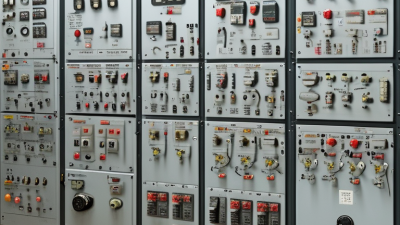
Choosing the best control panel solutions is rarely a simple price comparison. The right choice must support safe operation, stable performance, and practical maintenance. It should also match the equipment, site conditions, and skills of the people using it.

This guide explores how experienced engineers evaluate control panels before approval. A panel in a dusty production area may need sealed enclosures and carefully selected cooling. A food-processing site may require smooth surfaces, corrosion-resistant materials, and easy cleaning. An office automation system may prioritize compact design, quiet operation, and straightforward troubleshooting. These details matter more than attractive specifications alone.

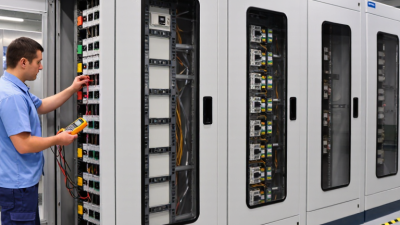
Look beyond the initial quotation. Check component quality, wiring clarity, documentation, testing procedures, and replacement availability. Ask whether the supplier can provide drawings, commissioning support, and responsive technical service. Confirm that the design follows applicable safety and electrical requirements for the installation location. Reliable control panel solutions should reduce operational risk across their full service life.

No choice is perfect. A low-cost panel can become expensive when downtime, redesign, or difficult repairs appear later. That assumption can fail. Likewise, a highly customized design may create unnecessary complexity for a small facility. The best decision balances performance, safety, budget, scalability, and maintainability. It also leaves room for honest review. Conditions change, operators make mistakes, and even a well-tested system may need improvement after real operation.

How to Choose the Best Control Panel Solutions?

Define Your Control Panel Goals and Operating Requirements

A strong control panel decision begins with a clear operating goal. Define what the panel must control, monitor, and protect. For example, a water-treatment panel may need pump sequencing, alarm notifications, flow measurement, and safe shutdowns. Write these functions in plain language before discussing components. Vague goals often create expensive changes later.

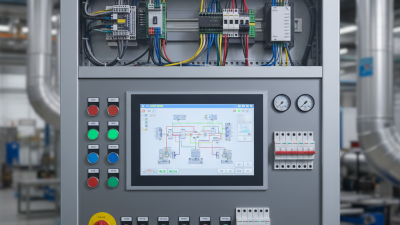
Measure the working environment carefully. Record supply voltage, motor loads, available fault current, temperature, humidity, dust, and cleaning methods. Check whether operators need a touchscreen, physical switches, or remote access. The enclosure should match the location, including its protection rating and ventilation needs. Leave space for spare terminals and future circuits. It is cheaper than rebuilding a crowded panel.

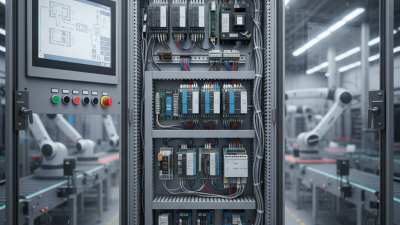
Operating requirements should also include maintenance and safety. Identify who will inspect the panel, how faults will be diagnosed, and how quickly production must recover. Use clear labels, accessible wiring, documented schematics, and tested protection devices. Independent review can expose assumptions that the design team misses. Our first specification once underestimated heat inside a sealed enclosure. The panel worked in testing, but cooling became a concern during summer operation. That mistake changed our process. We now test realistic loads and review worst-case conditions before approval. A useful control panel is not merely functional. It should remain understandable, serviceable, and dependable after years of daily use.

Compare Control Panel Types and Core Management Features

How to Choose the Best Control Panel Solutions?

Choosing a control panel starts with identifying who will manage the system. Shared hosting panels suit teams managing websites, domains, email, DNS, and SSL certificates. Infrastructure dashboards offer stronger control over virtual machines, networks, storage, and resource limits. Command-line tools provide flexibility, but they demand deeper technical experience and careful documentation.

In practical server work, I compare panels by their core management features, not their appearance. Look for role-based access, automated backups, malware scanning, update controls, monitoring, and detailed activity logs. A useful panel should show CPU, memory, and storage usage clearly. It should also support secure API access and reliable recovery procedures. Some interfaces appear simple but hide important settings. That can create mistakes later.

Tips: Test the panel with a realistic staging server before deployment. Create users with different permissions. Restore a backup, review logs, and measure resource usage during traffic spikes. Check how quickly security patches arrive and how clearly technical documentation explains failures. Do not select a tool only because it has more features. Extra controls can confuse inexperienced administrators. No panel is perfect. Your team’s skills, workload, budget, and tolerance for manual maintenance should guide the final choice.

How to Choose the Best Control Panel Solutions? - Compare Control Panel Types and Core Management Features

Control Panel Type Primary Environment Typical Users Core Management Features Automation and Integration Security Controls Scalability Best Fit
Shared Hosting Panel Shared web hosting servers Small websites, freelancers, and non-technical users Domain and subdomain setup, email accounts, databases, file management, SSL installation, and usage statistics Basic application installers, scheduled tasks, DNS management, and limited API access Account isolation, password controls, SSL certificates, malware scanning, and access restrictions managed by the provider Low to moderate; constrained by shared server resources Low-cost websites, portfolios, blogs, and small business sites
Server Administration Panel Dedicated servers and virtual private servers System administrators, agencies, and hosting operators Web server configuration, user and permission management, database administration, DNS, mail services, logs, and resource monitoring Command-line tools, REST APIs, scheduled jobs, configuration templates, and deployment hooks Firewall rules, intrusion detection, security updates, two-factor authentication, audit logs, and role-based access Moderate to high; depends on server capacity and architecture Managed infrastructure, multiple websites, and custom server configurations
Cloud Resource Management Panel Public, private, or hybrid cloud infrastructure IT teams, DevOps engineers, and growing digital businesses Virtual machine provisioning, storage, networking, identity management, load balancing, monitoring, and cost controls Infrastructure as code, API access, autoscaling, event triggers, CI/CD integration, and policy-based provisioning Identity and access management, network segmentation, encryption, compliance logging, and security policies High; resources can be added or removed on demand Variable workloads, distributed applications, and infrastructure requiring rapid expansion
Container Management Panel Container clusters and microservice platforms Development teams, platform engineers, and DevOps teams Application deployment, service discovery, workload scheduling, configuration management, secrets, logs, and health checks Continuous delivery pipelines, declarative configuration, orchestration APIs, autoscaling, and service integration Namespace isolation, workload permissions, network policies, image scanning, secrets management, and admission controls Very high; supports horizontal scaling across multiple nodes Microservices, high-availability applications, and frequently updated software
Application Deployment Panel Application servers and managed runtime environments Developers, digital agencies, and product teams Source-code deployment, runtime selection, environment variables, database connections, release history, and application logs Git-based deployment, webhooks, build pipelines, rollback functions, API access, and scheduled tasks Secret storage, deployment permissions, HTTPS, dependency updates, and isolated application environments Moderate to high; determined by runtime and underlying infrastructure Web applications and teams seeking simplified release management
Network Device Management Panel Routers, switches, firewalls, and wireless infrastructure Network administrators and infrastructure operations teams Device inventory, interface configuration, VLANs, routing, firmware management, performance monitoring, and alerting Network discovery, configuration templates, scripting, monitoring integrations, and scheduled backups Role-based access, configuration auditing, encrypted administration, authentication services, and change tracking High for multi-device environments; depends on topology and controller design Centralized management of enterprise and distributed networks
Selection Priorities: Evaluate operating-system compatibility, user and role management, backup and recovery options, security controls, API availability, monitoring depth, automation support, total cost of ownership, and the technical skills required to operate the panel.

Evaluate Security, Scalability, Compatibility, and Ease of Use

Choosing a control panel solution requires more than comparing dashboards. Security should come first. The 2024 Data Breach Investigations Report found that the human element appeared in 68% of breaches. Therefore, select a panel with multi-factor authentication, role-based access, audit logs, and automatic updates. Test these controls with separate administrator accounts, not only during a product demonstration.

Scalability matters when traffic, storage, and user accounts grow. The 2024 State of Cloud Report reported that 89% of organizations use a multi-cloud strategy. This suggests that future expansion may involve different environments. Check whether the panel supports virtualization, container workloads, automated backups, and API-based provisioning. Measure resource usage during a realistic traffic surge. A smooth trial can still hide limits. I have seen teams overlook licensing thresholds until expansion became expensive.

Compatibility should cover operating systems, databases, security tools, and existing workflows. Confirm supported versions in writing. Then test migration, DNS changes, monitoring alerts, and restore procedures. Ease of use is equally practical. Clear navigation, searchable documentation, and granular permissions reduce operational mistakes. The 2024 Cost of a Data Breach Report noted that breaches involving complex environments often required longer response efforts. A simple interface cannot replace expertise, but it can shorten routine decisions. Shorter steps help. Review the panel after thirty days, when real support tickets reveal its weaknesses.

Assess Pricing, Support Services, and Long-Term Maintenance

Choosing a control panel solution starts with its five-year cost, not its monthly price. Include licenses, migration, training, backups, upgrades, and emergency support. Flexera’s 2024 State of the Cloud Report found that 84% of organizations struggle to manage cloud spending. A low entry price can hide expensive operational work.

Ask providers for a transparent pricing model. Check user limits, server fees, premium support, and renewal increases. Then test the support process before signing. Submit a technical question and measure response quality, escalation time, and troubleshooting detail. Fast replies are not enough. Clear ownership matters.

Long-term maintenance deserves equal attention. Confirm patch schedules, security notifications, rollback procedures, and compatibility testing. Uptime Institute’s 2024 Global Data Center Survey reported that 54% of respondents experienced an outage costing at least 100,000 dollars. A control panel cannot prevent every incident, but strong maintenance can reduce recovery friction. Review service-level commitments carefully. Vague promises create risk.

A useful evaluation includes a staged trial with real workloads. Monitor installation time, administrator effort, alert accuracy, and recovery steps. I would also interview current technical users, not only sales contacts. My own preference would be a simpler interface with dependable documentation over a feature-heavy system. That judgment can be wrong. Teams sometimes underestimate future integration work, especially after staff changes. Record assumptions, price them, and revisit them annually.

How to Choose the Best Control Panel Solutions?

Typical industrial automation budgeting ranges for comparing pricing, support services, and long-term maintenance requirements.

Use these planning ranges to compare proposals consistently. A lower purchase price may result in higher engineering, support, or maintenance costs over the system lifecycle, so total cost of ownership should be assessed together with service response times and spare-parts availability.

Select the Solution That Best Fits Your Technical Environment

Choosing a control panel starts with your technical environment, not a feature checklist.

Map your operating systems, server types, workloads, and administrator skills. The 2024 State of the Cloud Report found that 89% of organizations use multiple cloud environments. That makes compatibility important. A panel should manage physical servers, virtual machines, or containers without forcing major redesigns. Check its API quality, automation options, backup integrations, and resource consumption. A fast interface means little if routine tasks remain manual.

Security must fit your operating model.

The 2024 Data Breach Investigations Report found that human involvement appeared in 68% of breaches. Choose role-based access, multi-factor authentication, audit logs, and clear permission controls. These features reduce mistakes during busy maintenance windows. Test them with real users, not only administrators. A small operations team may value simple alerts, while a larger team may need delegated access and workflow automation.

Do not ignore support quality. The 2024 Global Data Center Survey reported that serious outages remain costly for many operators, so recovery procedures deserve practical testing. I have seen attractive dashboards hide weak restore processes. That is an uncomfortable lesson. Run a limited trial, measure response times, review logs, and attempt a full recovery before committing.

Scroll to Top